Before You Dial: Making Sense of Your Air-Con’s Warning Lights

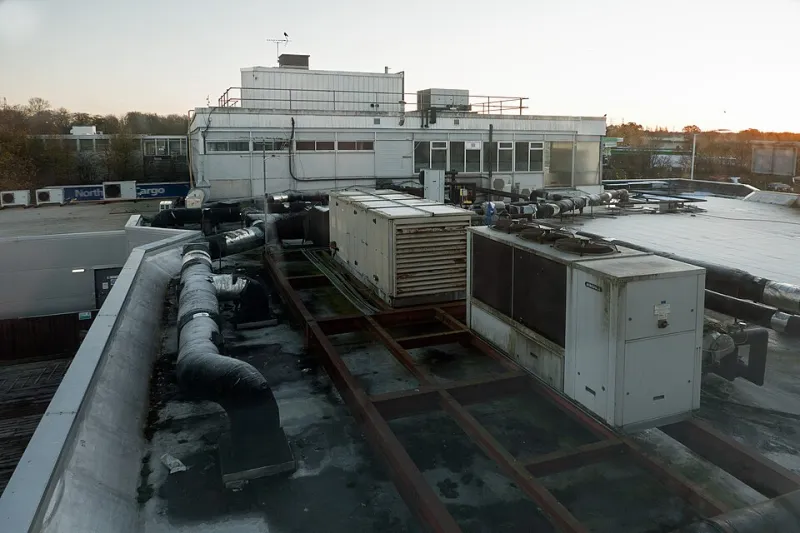
Photo: Jojohot1, CC BY-SA 4.0, via Wikimedia Commons
A flashing light on an air-conditioning unit has a way of making a perfectly ordinary morning feel urgent. One minute the system is quietly getting on with things; the next there’s a little symbol blinking at you from the indoor unit, and you’re wondering whether to fetch a screwdriver or ring someone. The good news is that most warning displays are not secret messages. They are the system’s way of saying, in its own slightly awkward language, that something needs attention — and sometimes that something is as simple as a clogged filter or a damp patch near the condensate tray.
This is a practical guide for Sutton homes and small firms. It won’t turn you into a refrigeration engineer, and it isn’t meant to. The aim is to help you read the warning calmly, do the safe checks, and avoid paying for a call-out when the fix is genuinely ordinary.
First, write down what you see
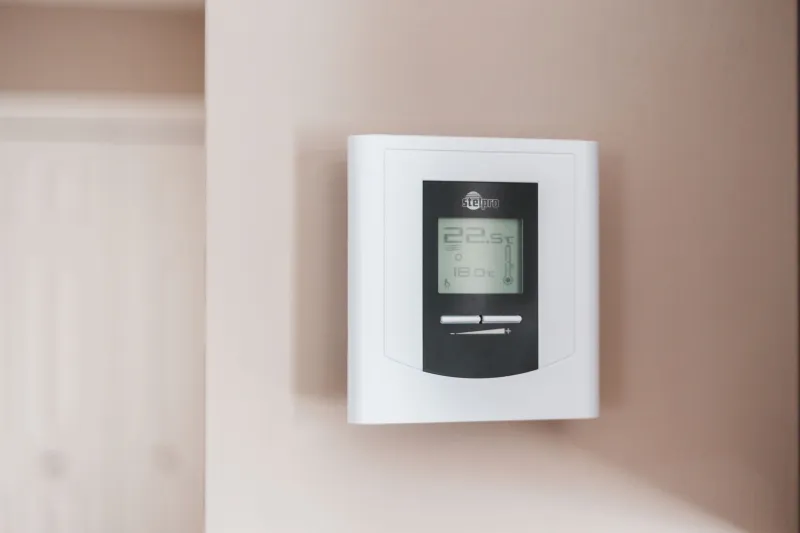
Before you touch a button, take a photo of the display. Note the code if there is one, or count the flashes if the unit uses a blinking light instead. Is it one long flash followed by two short ones? Is the light on the indoor unit, the outdoor unit, or both? Does the remote show anything different from the wall unit?
That small bit of detective work matters. Fault codes vary between brands and even between models from the same manufacturer. A code that means “clean the filter” on one system can mean something else entirely on another. If you ring an engineer with a photo and a model number, you have already saved time. If you ring with “it’s flashing” and nothing else, the conversation starts further back.
The checks that are genuinely safe
You do not need to open electrical panels, remove covers, or prod refrigerant pipes. Leave those alone. The safe checks are the everyday ones:
- Filters: Switch the unit off at the remote, then check the indoor filters. A clogged filter is one of the most common causes of poor airflow and warning lights. Rinse or vacuum according to the manufacturer’s instructions and let them dry properly before refitting.
- Condensate route: Look for water in or around the indoor unit, and check whether the drain pipe or condensate route is kinked, blocked, or sitting in a puddle. In shops, this is often hidden behind stock or under a counter.
- Outdoor unit clearance: Make sure the outdoor unit is not smothered by leaves, bins, bags, or a hastily stacked delivery. It needs air movement.
- Remote batteries: It sounds daft, but a weak remote can produce odd behaviour. If the display is faint or the unit ignores commands, fresh batteries are a cheap first test.
If anything smells of burning, if you see water near electrics, if the unit trips the electrics, or if there is ice where there shouldn’t be, stop. That is not a filter job.
What the common warnings usually point to
Most domestic and small-office systems use codes or light patterns for a handful of broad areas: filter cleaning, drain or water problems, communication between indoor and outdoor units, sensor faults, low refrigerant pressure, and defrost operation. A water or drain symbol is often worth checking yourself because a blocked condensate route is common. A filter indicator is usually a maintenance reminder rather than a breakdown. Communication and pressure faults are less forgiving and generally need proper test equipment.
Be careful with generic internet code lists. They are a useful starting point, but they are not gospel. The same two-character code can differ across ranges. The reliable list is the one for your exact model.
A safe reset sequence
A reset is not a cure, but it can clear a temporary glitch. Do it once, calmly, and watch what happens:
- Note the code or flashing pattern and take a photo.
- Turn the system off at the remote control.
- If it is safe and accessible, switch off the isolator at the wall. Do not open any electrical enclosures.
- Wait around five minutes.
- Switch the isolator back on, then restart at the remote.
- Watch the display. If the same code returns straight away, stop resetting and book an engineer.
Repeated resetting is not troubleshooting; it just hides the pattern. One reset is enough to tell you whether the fault was momentary.
Where to find your own code list
Start with the handover pack from the original installation. If that has disappeared into a kitchen drawer, look for a sticker on the indoor unit flap or the outdoor unit. Note the make, model, and serial number. Then go to the manufacturer’s support site for that model. Daikin, Mitsubishi Electric, Fujitsu, Panasonic, LG, Samsung and other major brands all publish manuals and fault lists, but you need the right model number to use them properly.
If you are a tenant or a shop manager, pass the photo and model details to whoever looks after the building. It is much easier for them to act on a clear message than on a vague report of “the air-con is beeping”.
Case note: the shop that wasn’t broken
A small independent shop near Sutton station called us one damp morning because the indoor unit was flashing and the staff had convinced themselves the system had failed. They had already moved stock away from the unit, which was sensible. Before booking a visit, they checked the condensate route behind a low shelf. A plastic bag and a wad of packaging had blocked the flexible drain hose, and water was backing up towards the tray. They cleared the obstruction, dried the area, and ran the unit on a low setting. The warning cleared and the system behaved normally.
That is not a promise that every light is harmless. It is a reminder that a blocked drain is one of the ordinary, checkable causes — and one worth ruling out before you pay for a call-out.
When to stop and call
Call an engineer if the code returns after one reset, if you cannot find a safe explanation, if the unit is low on cooling, if you hear repeated clicking or loud mechanical noise, or if there is any sign of refrigerant trouble. Also call if the display is accompanied by water near electrics or a burning smell. Those are not jobs for a hopeful press of the remote.
Keep a short note of what happened: date, code, what you checked, and what you did. It helps the engineer and it helps you spot a repeat pattern. If you are in Sutton and want a second pair of eyes before the colder weather settles in, a booked visit is almost always calmer than an emergency one.